I’m sure we’ve all seen a screen similar to this one on someone’s computer at Starbucks and wondered, what is this?
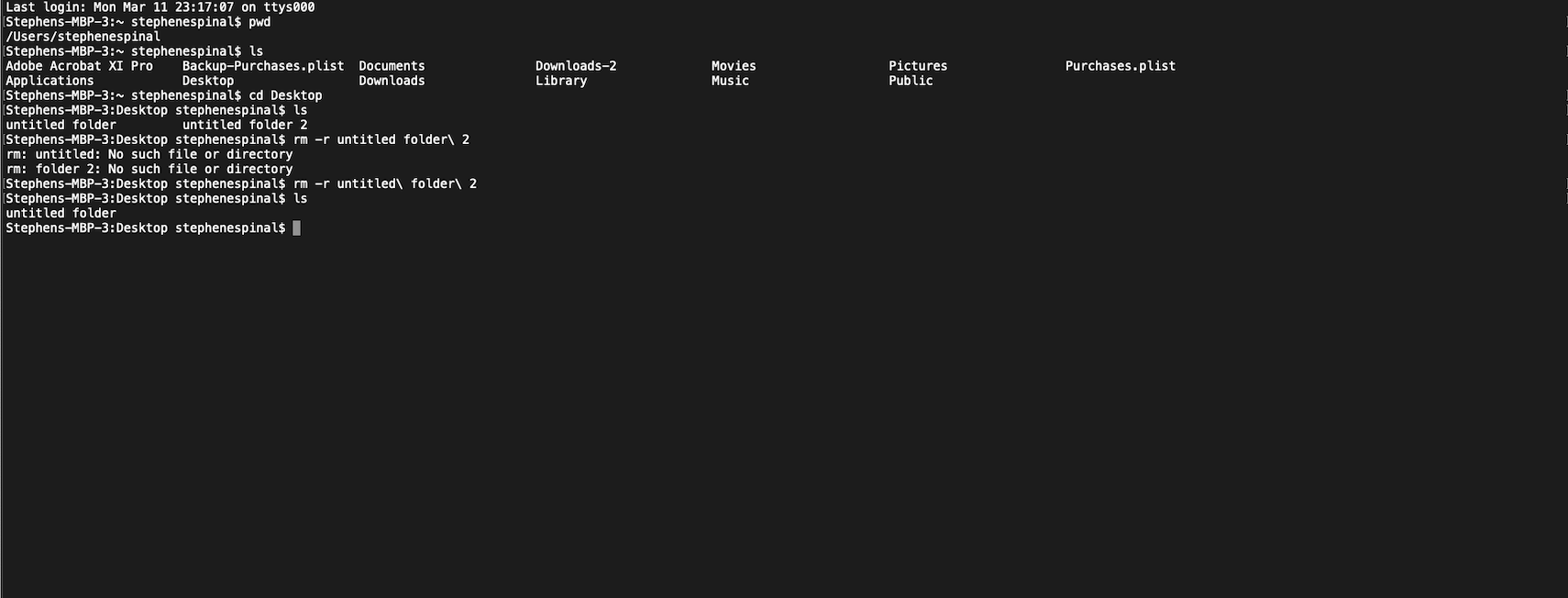
This is a sneak peek under the hood of what it’s like to use your computer without all the fancy visual representations we are all used to.
As a small example, this is actually me moving into my desktop and deleting some folders from it. So instead of dragging a mouse over a representation of the folder over to the trash can, I’m running the command that happens behind the scenes to delete the folder.
There’s lots of typing involved and keyboard shortcuts/shorthand commands that are needed just in order to operate the computer this way. Now this isn’t the ideal way to use a computer as it isn’t intuitive, although it has it’s advantages.
Here’s just some of the commands that one can expect to use while navigating Terminal, an app used on Mac’s to navigate the Command Line.
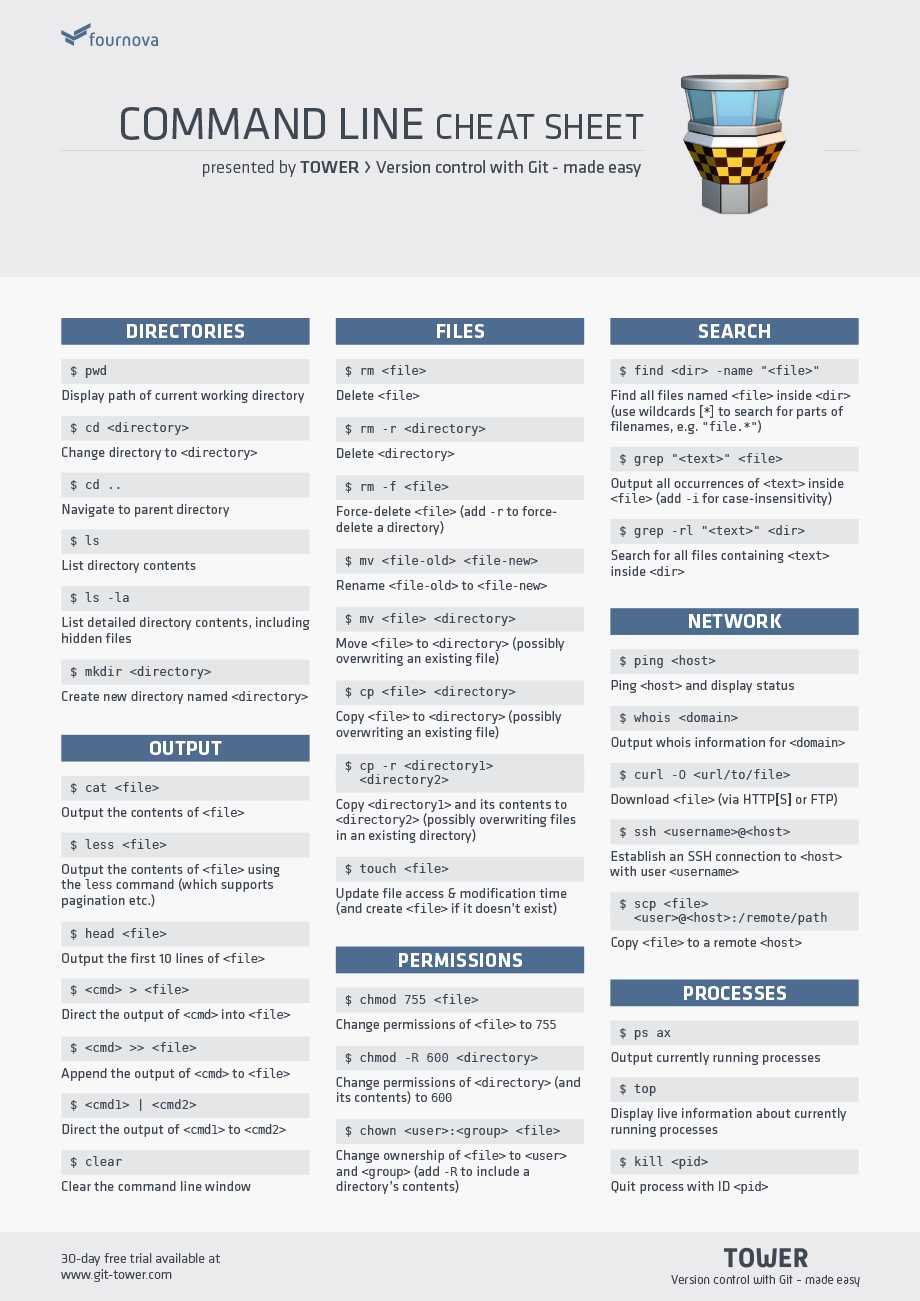
Here’s just a few reasons as to why people would use a Terminal over the standard Graphical User Interface (GUI).

 Stephen's TechHire Experience